
Wednesday, April 15, 2026
Home Blog Page 274
AI cybersecurity guidance for small businesses

Know where your business is exposed, what matters most, and what to fix first.

CyberExperts gives small businesses AI-generated cyber checkups, practical recommendations, and recurring cyber hygiene monitoring — without enterprise consulting complexity.

AI Cyber CheckupIdentify likely weak points and get a prioritized action plan.
Recurring MonitoringStay current with updated cyber hygiene guidance over time.
Built for SMBsPractical recommendations for real-world small business setups.

Most small businesses know cybersecurity matters. Very few know what to fix first.

CyberExperts turns cybersecurity confusion into a practical action plan. Instead of vague fear, generic checklists, or expensive consulting, you get AI-generated guidance focused on likely risks, weak spots, and the most important next steps.

How it works

1. Tell us about your businessShare your team size, tools, email setup, device practices, and current security habits.
2. CyberExperts analyzes your setupOur AI reviews likely weak points, common risks, and practical cyber hygiene gaps.
3. Get a prioritized action planReceive clear next steps in plain English — focused on what matters most.
4. Stay current with ongoing monitoringAdd recurring cyber hygiene monitoring if you want updated guidance over time.

Start with a checkup. Continue with monitoring.

AI Small Business Cyber Checkup

A one-time AI-generated assessment that identifies likely weaknesses, highlights the biggest issues, and gives you a practical action plan.

  • Likely weak points and avoidable risks
  • Top-priority recommendations
  • Plain-English next steps

AI Cyber Hygiene Monitor

A recurring cyber hygiene subscription that updates your recommendations, flags likely weak spots, and helps you stay current over time.

  • Recurring reassessment
  • Updated recommendations
  • Refreshed priorities over time

What CyberExperts does — and does not do

Done by AICyberExperts is built as an AI-delivered cybersecurity guidance product.
For small businessesDesigned for operators who want practical guidance without enterprise complexity.
Not a magic guaranteeIt helps identify likely risks and prioritize what to fix first.
Recurring option availableContinue with ongoing Cyber Hygiene Monitor updates over time.

See your biggest cybersecurity gaps in plain English.

Start with an AI Cyber Checkup and get a practical view of what to fix first.

How Hackers Think

0

Hackers use skills to gain unauthorized access to computer systems, networks, or personal devices. While the term “hacker” has often been used to describe computer criminals, it can also refer to computer experts who use their skills to solve problems and explore new possibilities.


To understand how hackers think, it is essential to understand their motivations. Many hackers are driven by a desire to challenge themselves and test their skills. They may be curious about how systems work and enjoy finding ways to exploit vulnerabilities. Others are motivated by a desire to uncover and expose security weaknesses to improve a system’s overall security.


Hackers also tend to have strong problem-solving and critical-thinking skills. They can think creatively and use their technical knowledge to find innovative solutions to complex problems. To be successful, hackers must also be able to analyze and evaluate information quickly and accurately.


One of the key traits of successful hackers is their ability to think outside the box. They are not afraid to try new approaches and are willing to take risks to achieve their goals. This allows them to find novel ways to bypass security measures and gain access to systems that others may have thought were impenetrable.
Hackers also tend to be highly adaptable and able to learn and adapt to new technologies quickly. As the technology landscape is constantly evolving, hackers must stay updated on the latest trends and techniques to be effective. This requires a strong passion for learning and a dedication to staying current in their field.


To be successful, hackers must also work well under pressure. They may be working on tight deadlines or under the threat of detection, which requires them to stay focused and calm under stress.
While the motivations and tactics of hackers may vary, there are certain commonalities among those who are successful in this field. They tend to be highly intelligent, creative, and adaptable individuals with strong problem-solving and critical-thinking skills. They are also driven to challenge themselves and test their limits.


Overall, the ability to think like a hacker is a valuable skill for anyone in cybersecurity. By understanding how hackers think and what drives them, organizations can develop more effective strategies for protecting their systems and defending against potential threats. So, individuals and organizations need to stay vigilant and proactively work to improve their cybersecurity measures to stay ahead of potential threats.


The Techniques and Tools of Hackers

Hackers are individuals or groups who use their technical skills to gain unauthorized access to systems, networks, or devices. They use various techniques and tools to exploit vulnerabilities in these systems and gain access to sensitive information. While some hackers may have malicious intentions, others may be security researchers who identify and report vulnerabilities to help improve the security of a system.

One common technique used by hackers is called “social engineering,” which involves manipulating people into divulging sensitive information or performing actions that may compromise the security of a system. Hackers may use phishing attacks, which are fraudulent emails or websites that appear legitimate but are designed to trick users into revealing personal information or login credentials. They may also use pretexting to create a fake identity or scenario to convince a person to reveal sensitive information.

Another technique that hackers use is called “exploitation,” which involves finding and exploiting vulnerabilities in systems or networks. Hackers may use tools such as vulnerability scanners, which are automated programs that search for known vulnerabilities in a system. They may also use “exploit kits,” which are collections of tools and code that can be used to exploit vulnerabilities and gain access to a system.

Hackers may also use “backdoors” to gain unauthorized access to a system. A backdoor is a hidden entry point into a system that bypasses normal security measures. Hackers may use malware, which is malicious software designed to damage or disrupt a system, to create a backdoor.

One type of malware commonly used by hackers is called a “Trojan,” a program that appears legitimate but is designed to allow unauthorized access to a system. Another type of malware is called a “virus,” a program replicating itself and spreading to other systems.

Hackers may also use “denial of service” (DoS) attacks to disrupt the availability of a system or network. In a DoS attack, the hacker floods a system with traffic, making it unable to respond to legitimate requests. This can be accomplished using a “botnet,” which is a network of compromised devices that can be controlled remotely to launch DoS attacks.

In addition to these techniques, hackers may use a variety of tools to aid in their attacks. These may include:

  • Password cracking tools: These are programs that can be used to guess or “crack” passwords by attempting to login using a list of common passwords or by using advanced algorithms to generate potential passwords.
  • Network sniffers: These are programs that can intercept and log network traffic, allowing the hacker to see sensitive information such as login credentials or other sensitive data.
  • Keyloggers: These are programs that can record every keystroke made on a system, allowing the hacker to capture login credentials and other sensitive information.
  • Remote access tools: These are programs that allow a hacker to gain access to a system from a remote location.

While hackers can use these techniques and tools to gain unauthorized access to systems, they can also be used by security professionals to identify and fix vulnerabilities in systems. It is important for everyone to be aware of these techniques and to implement strong security measures to protect against potential attacks. This may include using strong passwords, keeping software and systems up to date, and being aware of potential phishing attacks.

Cookies and Computer Security

Cookies are small text files that are stored on a user’s computer by a website. They are used to remember information about the user, such as their preferences or login status. While cookies can be useful for improving the user experience, they can also pose a security risk if not managed properly.


One potential security risk of cookies is that they can store sensitive information, such as login credentials or personal data. If this information is stored in an unencrypted cookie, it can potentially be accessed by hackers. This is why it is crucial for websites to use secure connections (https) when handling sensitive information and to set the “secure” flag on cookies that contain sensitive information.
Another potential security risk is that cookies can be used to track a user’s online activities. This is often done for advertising purposes, but it can also be used for more malicious purposes, such as creating a profile of the user’s interests or habits. This information can then be sold to third parties or used to target the user with malicious content.


To protect against these risks, users can take a few precautions. One option is to disable cookies in the web browser. This can be done in the browser settings, but it may impact the functionality of some websites. Another option is to use a private browsing mode, which prevents the browser from storing cookies or other browsing data.


Users can also use browser extensions to manage cookies. These extensions allow the user to block or delete cookies from specific websites or block all cookies except those from websites that the user trusts. Some extensions also allow the user to block tracking cookies or to block cookies from third-party websites.


Another option for protecting against the risks of cookies is to use a virtual private network (VPN). A VPN encrypts the user’s internet connection and can prevent cookies from being stored or accessed by third parties. However, it is important to note that a VPN will not protect against all security risks, and it is still important to use caution when browsing the internet.


It is also important for websites to take steps to protect against the security risks of cookies. This includes using secure connections, setting the “secure” flag on cookies with sensitive information, and implementing measures to prevent cross-site scripting (XSS) attacks, which can allow an attacker to inject malicious code into a website and access cookies.


In summary, cookies can be useful for improving the user experience, but they can also pose a security risk if not managed properly. To protect against these risks, users can disable cookies in their web browser, use a private browsing mode, use cookie management extensions, or use a VPN. Websites can also take steps to protect against the security risks of cookies by using secure connections, setting the “secure” flag on sensitive cookies, and implementing measures to prevent XSS attacks.

The History of Ransomware

The history of ransomware can be traced back to the late 1980s and early 1990s, when it was first used as a tool for extortion. At that time, ransomware attacks were relatively simple and involved the use of Trojan horses or other malware to infect a computer system, encrypt its files, and demand payment in exchange for the decryption key.


The first known instance of ransomware occurred in 1989, when the AIDS Trojan was released. This malware infected computers running the Microsoft DOS operating system and encrypted the user’s files until a ransom was paid. The malware was disguised as a legitimate application that claimed to cure AIDS, but upon execution, it infected the system and demanded a fee of $189 to decrypt the files.
Over the next decade, ransomware attacks became more sophisticated and widespread. In 2004, the Trojan Cryptolocker was released, which targeted Windows systems and encrypted users’ personal files, including documents, photos, and music. The attackers demanded a ransom payment in exchange for the decryption key, threatening to delete the files if the payment was not received within a specific time frame.


In the years that followed, ransomware attacks continued to evolve, becoming more targeted and sophisticated. In 2013, the CryptoLocker ransomware variant was released, which used advanced encryption methods and was capable of spreading via email attachments and infected websites. This variant was particularly successful, causing significant damage to businesses and individuals around the world.


In 2016, the ransomware attack known as WannaCry made headlines after infecting over 200,000 computers in 150 countries, including the UK National Health Service. The attack used a vulnerability in the Microsoft Windows operating system to spread rapidly, encrypting users’ files and demanding a ransom payment in bitcoin.


Since then, ransomware attacks have become even more widespread and sophisticated, with new variants constantly being released. In 2017, the Petya ransomware attack affected computers in over 65 countries, causing significant damage to businesses and government agencies.


In recent years, ransomware attacks have become a significant threat to businesses and individuals around the world, with many falling victim to these attacks. These attacks often use social engineering techniques to trick users to click on malicious links or downloading infected files. Once the ransomware is installed, it can be difficult to remove without paying the ransom.


To protect against ransomware attacks, it is crucial to keep all software and operating systems up to date with the latest security patches, use antivirus software, and be cautious when opening emails or clicking on links from unknown sources. It is also a good idea to regularly back up important files to prevent loss in an attack.


In conclusion, the history of ransomware is a long and ongoing one, with attacks becoming more sophisticated and widespread over time. It is a major threat to businesses and individuals worldwide, and it is essential to take steps to protect against these attacks to prevent loss and damage.

DNS Explained in Simple Terms

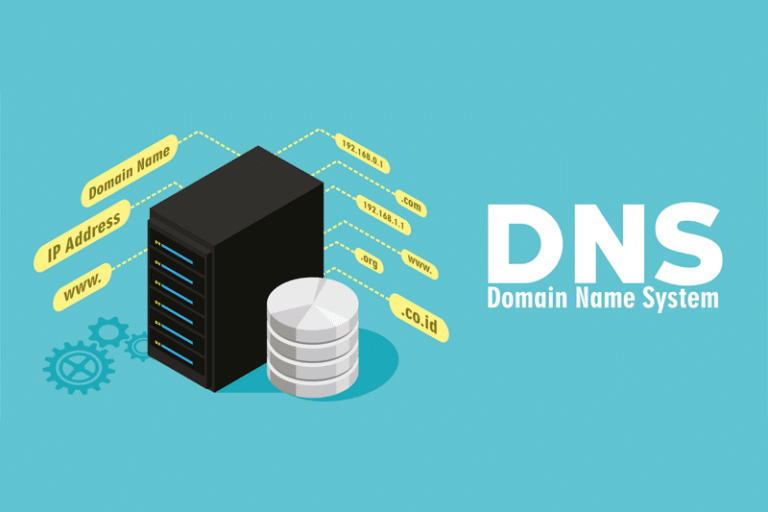
The Domain Name System (DNS) is a required component of the modern internet. It is essentially a directory of all the website names and addresses on the internet and acts as a kind of “phone book” for the internet. When someone types a website address into their internet browser, the computer sends a request to a DNS server to translate the domain name into an IP address. The IP address is a series of numbers that uniquely identifies a device on the internet, and it is used to locate the website’s server and retrieve the content you requested.


DNS has been around since the early days of the internet, and it has evolved significantly over the years. In the beginning, the internet was relatively small, and the DNS was simply a text file that listed all the domain names and their corresponding IP addresses. This file was maintained by a central authority and distributed to all the computers on the internet. As the internet grew, this approach became impractical, and a decentralized system was needed.


Today, DNS is a hierarchical system of servers that work together to translate domain names into IP addresses. At the top of the hierarchy are the root servers, a group of 13 servers responsible for maintaining the root zone file. The root zone file is a database that contains all the top-level domains (TLDs) such as .com, .org, and .net, as well as country-code TLDs like .uk and .au.
When a computer sends a request for a domain name, it first contacts one of the root servers to find out which TLD the domain belongs to. The root server responds with the IP address of a TLD server for the appropriate TLD. The computer then sends a request to the TLD server, which responds with the IP address of a domain name server (DNS) for the specific domain. Finally, the computer sends a request to the domain name server, which responds with the IP address of the website’s server.


There are several types of DNS servers, each with a different role in the hierarchy. In addition to the root servers and TLD servers, there are also authoritative name servers, recursive resolvers, and caching name servers.


Authoritative name servers are the servers that are responsible for storing the DNS records for a specific domain. They contain the IP addresses and other information about the domain’s resources, such as email servers and web servers. When a computer sends a request for a domain name, it is the authoritative name server that responds with the IP address of the website’s server.


Recursive resolvers are servers responsible for resolving domain names on behalf of clients. When a computer sends a request for a domain name, it sends it to a recursive resolver, which is responsible for finding the IP address of the website’s server. If the recursive resolver does not have the IP address in its cache, it will send a request to a root server and follow the hierarchy until it finds the IP address.


Caching name servers are servers that store DNS records in a cache for a certain period. When a computer sends a request for a domain name, the caching name server will check its cache to see if it has the IP address. If it does, it will respond with the IP address from the cache. If it does not, it will send a request to a recursive resolver to find the IP address.


There are several benefits to using DNS. One of the main benefits is that it allows users to access websites using easy-to-remember domain names rather than having to remember the IP addresses of each website. This makes it much easier for users to navigate the internet and find the websites they are looking for.

AI Cyber Attacks – The Future of Hacking

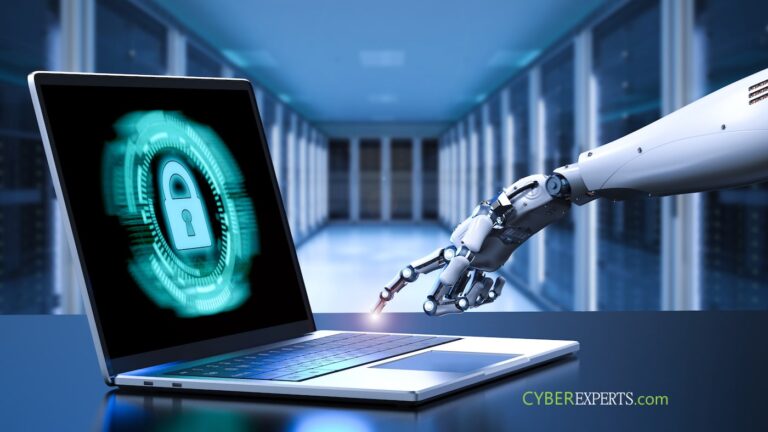
AI-powered cyberattacks are a growing concern in the world of cybersecurity. These attacks leverage artificial intelligence and machine learning algorithms to evade detection, infiltrate systems, and steal sensitive data. They are highly sophisticated and can be challenging to defend against, making them a formidable threat to both individuals and organizations.


One common type of AI-powered cyberattack is using machine learning algorithms to generate phishing emails automatically. These emails are designed to trick the recipient into divulging sensitive information or downloading malicious software. Because AI generates them, they can be highly personalized and seem legitimate, making them more effective at fooling the recipient.
Another type of AI-powered cyberattack is the use of deep learning algorithms to impersonate a human and gain access to secure systems. This can be done through a process known as “deepfake” authentication, in which the AI creates a voice or video that is virtually indistinguishable from the real person. This allows the attacker to bypass traditional security measures, such as two-factor authentication, and gain access to sensitive systems and data.


AI-powered cyberattacks can also be used to infiltrate and compromise networks. For example, AI-powered malware can be programmed to evade detection by traditional security systems and infiltrate a network undetected. Once inside, it can gather intelligence, steal data, and even manipulate systems for the attacker’s benefit.


One of the biggest challenges in defending against AI-powered cyberattacks is that they are constantly evolving and adapting. Because machine learning algorithms power them, they are able to learn from their successes and failures and adjust their tactics accordingly. This makes them difficult to detect and defend against, as traditional security measures may not be effective against an AI that is constantly changing and adapting.


One way to defend against AI-powered cyberattacks is to use AI-powered security solutions. These solutions leverage machine learning algorithms to analyze network traffic and identify suspicious activity. They can also be used to detect and block phishing emails, as well as identify and stop deepfake authentication attempts.


Another important defense against AI-powered cyberattacks is to educate employees about the dangers of these attacks and how to recognize and avoid them. This includes training them to recognize phishing emails and to be cautious when clicking on links or downloading attachments. Having strong passwords and enabling two-factor authentication wherever possible is also important.


Overall, AI-powered cyberattacks are a growing concern in the world of cybersecurity. They are highly sophisticated and constantly evolving, making them difficult to defend against. It is crucial for both individuals and organizations to be aware of the dangers of these attacks and to take steps to protect themselves. This includes using AI-powered security solutions, educating employees about the risks, and implementing strong security measures such as strong passwords and two-factor authentication.